


MyEdit: AI Image Generator
3.3116.00 Reviews
App Specs
- Version
- 1.21.0
- Updated On
- License
- Free
- Downloads
- 500,000+
- Developer
- Cyberlink Corp
- Categories
- Art & Design
- Platform
- Android, iOS
Screenshots
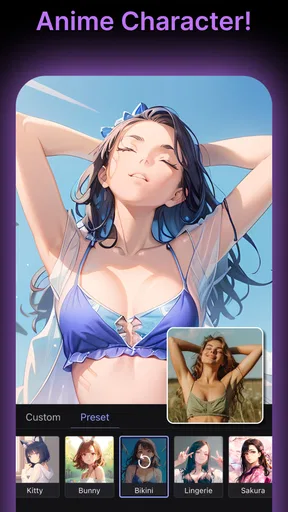
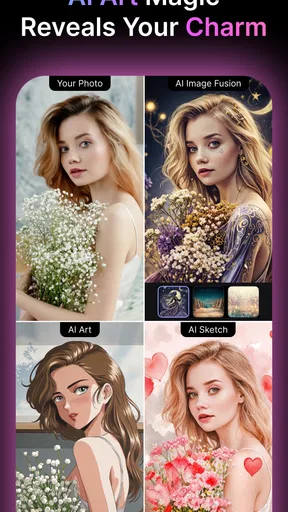
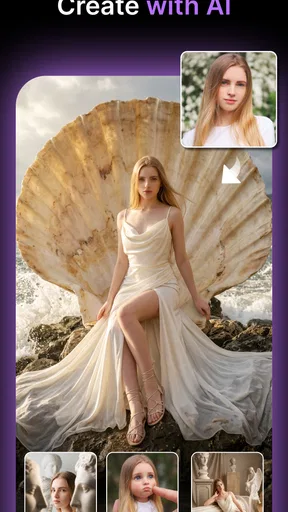
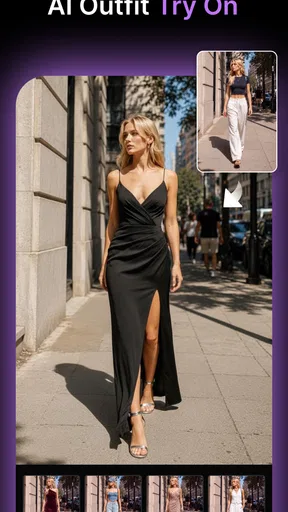
 Analysis by AppCompare
I reach for an AI photo editor when I have an image that is almost right but needs a more imaginative finish. MyEdit: AI Image Generator is Cyberlink Corp’s free art and design app for that kind of quick creative experiment, with tools aimed at editing photos and making AI-assisted images. I see its strongest appeal in turning a casual portrait or everyday picture into something more expressive without asking me to learn a full desktop editing workflow.
What the creative workflow is good for
MyEdit is most useful when I want to explore a visual idea quickly rather than build an image pixel by pixel. I can start with a photo, try a different treatment, and judge whether the result suits the mood I had in mind. That makes it a natural fit for profile pictures, social posts, invitations, or a playful image to send to friends. It is less compelling when I need exact control over layers, typography, color values, or a polished production file.
A practical tip is to begin with a clean, well-lit source image and make one change at a time. If I stack dramatic styles or edits before deciding what the picture needs, the original subject can become harder to recognize. I would save a copy of the untouched photo first, then compare the edited version against it. This simple habit makes it easier to keep the result expressive without losing the details that made the original photograph worth using.
Where speed matters—and where waiting can feel natural
For small adjustments and browsing creative options, I expect a phone app to feel immediate; more ambitious AI transformations are a different kind of task. They can involve more processing than a basic crop or brightness change, so I would not judge the whole experience by the time a single complex result takes. My preferred approach is to treat generation as a short creative pause: choose a useful prompt or source, start with one direction, and avoid repeatedly submitting near-identical attempts just because I am curious.
That workflow also helps when I am making something for a deadline. If I need a finished image for a post, I would leave time to review the result and make a simpler backup edit rather than assume an AI treatment will be ready instantly. A quick filter can be enough for a last-minute improvement; a more stylized image deserves a closer look before I share it.
Heavy use, reliability, and sensible recovery
Using several effects on one image, comparing variations, and switching between creative tasks can make a session feel more demanding than a single edit. I would keep the original file intact and export or save a version I like before experimenting further. That gives me a dependable fallback if a later change takes the image in the wrong direction, or if I simply decide that the restrained version looks better.
I also recommend checking the final image at its intended size. A result that looks striking as a small preview may feel too busy when viewed full-screen, while subtle edits can be hard to notice in a thumbnail. Reviewing both views is a useful quality check before posting or sending the image. As with any creative app, keeping the app current can help avoid avoidable compatibility friction; MyEdit’s current version is 1.21.0.
Worth Reading Before You Choose

Flipboard Shows What News Apps Must Do Beyond the Feed

Switching to Android Auto Means Rethinking Your Driving Routine

Google Calendar Makes a Crowded Week Easier to Manage

Ludo King Makes the Most of the Minutes Between Plans

Baby Panda World Brings Quick Play to Modern Phones, but Its Game Library Feels Busy

ESPN’s Live Game View Makes Following Close Games Easier
Who should choose it over a traditional editor?
Compared with a conventional photo editor, MyEdit puts more emphasis on AI-led transformations and quick creative exploration than on manual precision. I would choose it when I want a portrait to feel illustrated, want to test an imaginative direction, or need a visual starting point without drawing everything myself. A traditional editor is a better match when I need careful retouching, detailed selections, consistent brand colors, or control over every element in a composition.
It can also complement rather than replace other tools. I might create a stylized version in MyEdit, then use a basic editor to crop it or prepare it for a particular layout. For a graphic that depends on precise text placement, I would begin in a design-focused app instead; AI image tools are better at visual exploration than at guaranteeing exact lettering or layout. That distinction helps set realistic expectations and avoids trying to force one app to cover every creative job.
Everyday use can be refreshingly simple. Suppose I have a well-lit portrait from a weekend outing and want a more distinctive profile image. I would keep the original, try a restrained artistic treatment first, and compare it with a stronger style. If the face still looks like me and the background does not distract, I have a candidate. If the effect overwhelms the expression, I would back off rather than keep adding edits. That is the kind of low-stakes task where AI can make creativity feel approachable.
Unleashing Creativity with AI
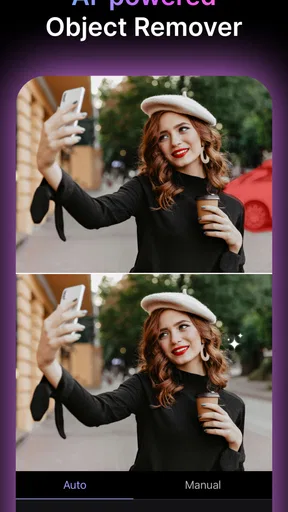
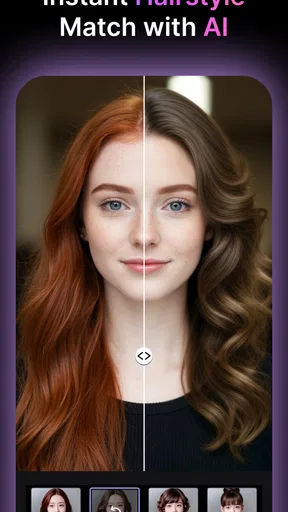
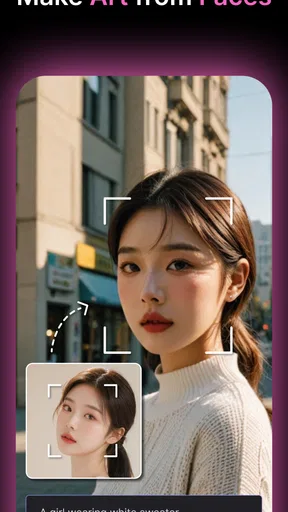
So, what’s the deal with MyEdit: AI Image Generator? Imagine an app that can take your regular photos and transform them into stunning pieces of art using the power of artificial intelligence. Yep, it’s as cool as it sounds. The app uses advanced AI algorithms to analyze your images and apply a variety of artistic styles, filters, and enhancements at the tap of a button.
User-Friendly Interface
The first thing you’ll notice when you open the app is its super sleek and intuitive interface. It’s designed to be user-friendly, so whether you’re a tech guru or someone who just learned how to use a smartphone yesterday, you’ll find navigating through the app a breeze. The main menu is straightforward, with options neatly laid out for easy access.
Diving into the app, you’ll find a wide range of tools to play around with. From classic filters to unique artistic styles, there’s something here for every creative mind. The best part? You don’t need to be a professional artist to create something beautiful. The AI does all the heavy lifting for you.
Features That Stand Out
One of my favorite features is the real-time editing option. You can see your changes as you make them, which is perfect for those of us who are a bit indecisive (guilty as charged!). Plus, the app offers a variety of customization options to fine-tune your images to perfection. Want to adjust the intensity of a filter or tweak the contrast and brightness? No problem, MyEdit has got you covered.
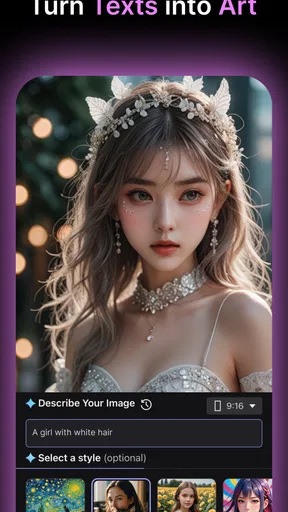
Another standout feature is the ability to create art from scratch. The app provides a blank canvas feature where you can let your imagination run wild. Whether you want to craft a digital painting or design a unique graphic, the possibilities are endless.
Performance and Accessibility
Now, let’s talk performance. I’ve tested MyEdit on both Android and iOS devices, and it runs smoothly on both platforms. The app is well-optimized, so you won’t encounter any annoying lag or crashes. Plus, it doesn’t hog your device’s resources, which is a big win in my book.
Additionally, the app is accessible to everyone. It’s free to download, with some advanced features available through in-app purchases. So, if you’re on a budget, you can still enjoy a wide range of functionalities without breaking the bank.
Sharing Your Masterpieces
Once you’ve created your masterpiece, sharing it with the world is just a few taps away. Whether you want to post it on social media, send it to friends, or print it out for your wall, MyEdit makes it seamless. The app supports multiple formats and resolutions, ensuring your images look stunning no matter where they end up.
Final Thoughts
In a nutshell, MyEdit: AI Image Generator is a game-changer for anyone looking to add a creative touch to their photos. With its powerful AI capabilities, user-friendly design, and extensive range of features, it’s an app that caters to both beginners and seasoned pros alike.
If you’re ready to transform your ordinary photos into extraordinary works of art, I highly recommend giving MyEdit a try. It’s fun, easy to use, and the results are simply stunning. So go ahead, unleash your creativity and see what masterpieces you can create!
Cost, audience, and device fit
The app is free to install, while optional in-app purchases range from $1.39 to $234.99 per item. I would explore the free experience before paying, especially if I only need occasional edits; people who expect to use advanced creative options regularly should check the purchase details in the app and decide whether the value matches their routine. The age rating is Everyone, and the app has an average rating of 3.3 from around 2.2K ratings, with 116 written reviews and over 500K installs. Those figures suggest a sizable audience, but not universal approval, so I would treat it as a tool to try rather than assume it will suit every editing style.
MyEdit was released on August 31, 2023, and its listed minimum operating system is version 8.0. For an older or entry-level phone, I would keep expectations practical: AI-heavy editing can be more demanding than applying a simple preset, and available memory or device age may affect how comfortable a long session feels. I would close other demanding apps if editing becomes sluggish and avoid starting a large batch of experiments when the device is already busy. For a newer phone, the sensible test is still to try a modest edit first and see how the app behaves before committing to a longer project.
MyEdit is best for curious beginners and casual creators who want a fast route from a personal photo to a more imaginative image. I would skip it as my main tool if my work depends on exact retouching, repeatable professional output, or fine control over every part of a design. Its appeal is the invitation to experiment; its trade-off is that an AI-assisted result may need judgment and restraint rather than simply being accepted as finished. If that balance sounds right, it is worth trying for a profile picture, a playful portrait, or a quick creative detour. If precision is the priority, a conventional editor or dedicated design app will be a better fit.
Pros
- User-friendly interface for easy navigation.
- Wide range of AI-generated styles available.
- Fast processing of image transformations.
- Supports high-resolution image exports.
- Regular updates with new features.
Cons
- Limited free version features.
- Requires internet connection to function.
- Some styles can appear repetitive.
- Occasional in-app ads interrupt workflow.
- Premium version can be costly.
FAQs for MyEdit: AI Image Generator
What features does MyEdit: AI Image Generator offer?
MyEdit: AI Image Generator provides a wide array of features, including AI-driven image enhancements, style transfers, and background removal. Users can also enjoy tools for retouching, color correction, and applying artistic filters. The app is designed to cater to both beginners and professional photographers, offering intuitive controls and advanced settings.
Is MyEdit: AI Image Generator free to use?
MyEdit: AI Image Generator offers a free version with basic features, allowing users to explore its capabilities. However, for access to premium tools and additional content, a subscription or in-app purchases may be required. Users can choose a plan that best fits their needs, whether they seek casual use or professional-grade features.
How user-friendly is MyEdit: AI Image Generator for beginners?
The app is designed with user-friendliness in mind, featuring a clean interface and straightforward navigation. Beginners can quickly learn to enhance their images using the app’s guided tutorials and tips. The AI suggestions also help users make quick edits without needing extensive photo editing knowledge, ensuring a smooth experience.
Can MyEdit: AI Image Generator be used offline?
MyEdit: AI Image Generator requires an internet connection for certain features, especially those involving AI computations and style transfers. However, some basic editing functions may be available offline. Users should ensure their device is connected to the internet to fully utilize the app's capabilities and access cloud-based features.
What devices are compatible with MyEdit: AI Image Generator?
MyEdit: AI Image Generator is available for both Android and iOS devices. It supports most modern smartphones and tablets, though performance may vary depending on the device's specifications. Users are encouraged to check the app store for compatibility details and ensure their device meets the minimum requirements for optimal performance.


